Creating Bootable CD or DVD

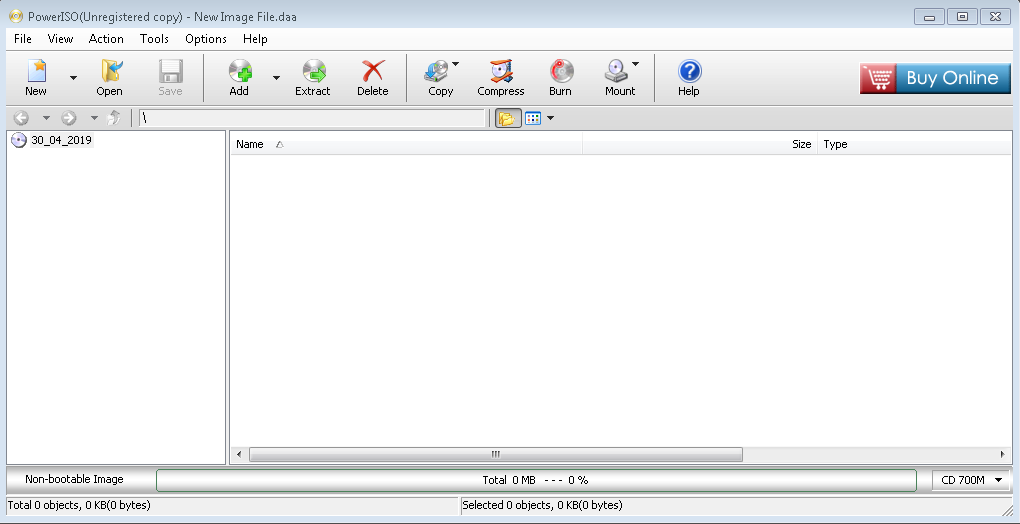
For making bootable DVD or CD, you can do it  with ISO power app, for making this follow the below steps:


and click burn and you good to go you have to wait until burn finishes.


Comments

Popular posts from this blog

ACRONIS TRUE IMAGE RECOVER

ACRONIS TRUE IMAGE when you take an image from a window with Acronis true image you have to plug in the external hard drive that you have your image in and also put the disk of Acronis true image, and boot from it and follow the following steps: 1- 2- 3- 4- 5- 6- 7- 8- 9- After when you click the proceed it starts to recover your token image.

Fiber Optic

O ptical f iber   Transmission media are the physical way that  device can connect on network, T ransmission media divided into two parts wired and wireless.each of them have its on types  The optical fiber or fiber optic is one of the most popular and used for transferring data throw content   Optical Fiber Anatomy  Core :   The glass or plastic center of an optical fiber.   Cladding : Glass or plastic surrounding the core of an optical fiber; the optical density of the cladding must be less than that of the core. Optical fibers use reflection to guide light through a channel. The difference in density of the two materials must be such that a beam of light moving through the core is reflected off the cladding instead of being refracted into it.   The composition of a typical fiber-optic cable The outer jacket is made of either PVC or Teflon. Inside the jacket are Kevlar str...

How to Manually remove a virus from your computer

This guide focuses on manually removing viruses and malware from your computer. Step 1: Press the keys [Windows] + [R] to open the windows run. Type msconfig then press enter  Then look for suspicious files. Here we see one. It’s an unknown manufacturer, and it also has a startup key that we’ve never seen until recently. Uncheck it from startup and/or from services. If you think you are being monitored. Open Command Prompt and do the following Step 2 Boot into safe mode. This can be done by checking the box in the “boot” tab in msconfig. Step 3 Run msconfig in safe mode and we can see it’s checked because the virus is persistent. The virus will not be running, however, due to the fact that we are currently in safe mode. Step 4 Navigate to the registry. We are doing this in safe mode because some viruses disable the registry. Note: Be sure your folder options are set to show hidden files and folders Step 5:Navigate to the location of the virus. If...